

PAC-SALUT module
Cancer treatment follow-up
Keep track of your progress during treatment.
Lets you record the side effects of cancer treatment, such as chemotherapy, every day, scoring each effect from 0 to 5 with the definition of each level alongside, so that scores are as objective as possible.

Marking the start of each cycle helps you see on which days after treatment the effects appear, and discuss these patterns with the medical team.
What you can record
- Today’s effectsFrom 0 to 5, grouped: digestive, skin, mucous membranes, physical and emotional…
- CyclesThe day each treatment cycle starts.
- IncidentsA fever, a hospital admission or a procedure, with its severity.
- Visible effectsTurn on only those that apply to your treatment.
How it works
- 1
Record
Lets you score the side effects of cancer treatment from 0 to 5 every day, with the definition of each level alongside. It also records the start of each cycle and relevant incidents, such as a fever or a hospital admission.
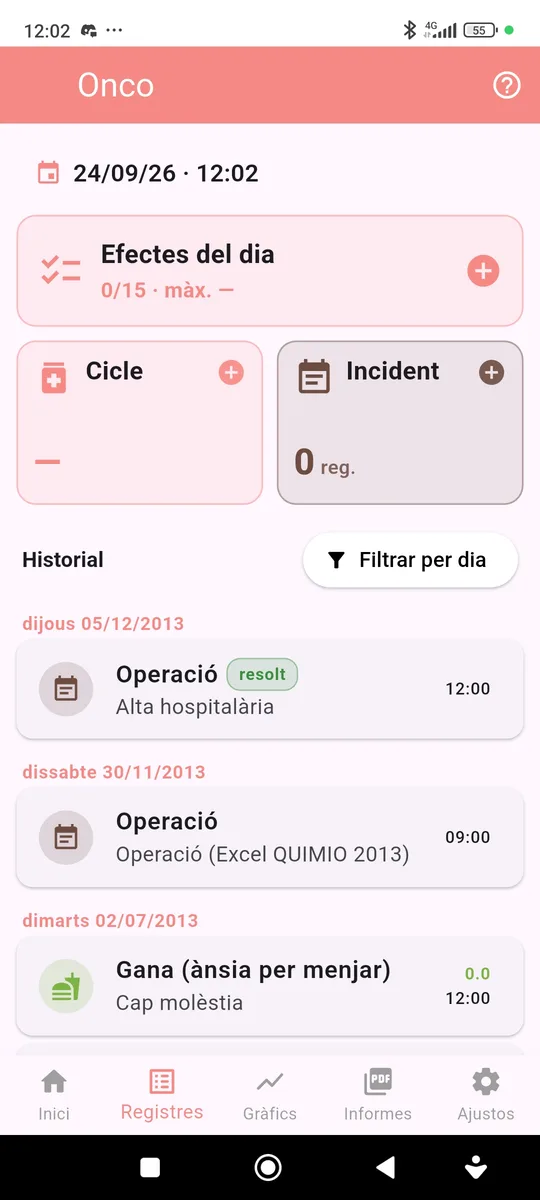
Today’s effects, from 0 to 5. - 2
See your progress
Each effect has its own chart, and cycle lines help you see on which days after treatment the effects appear.
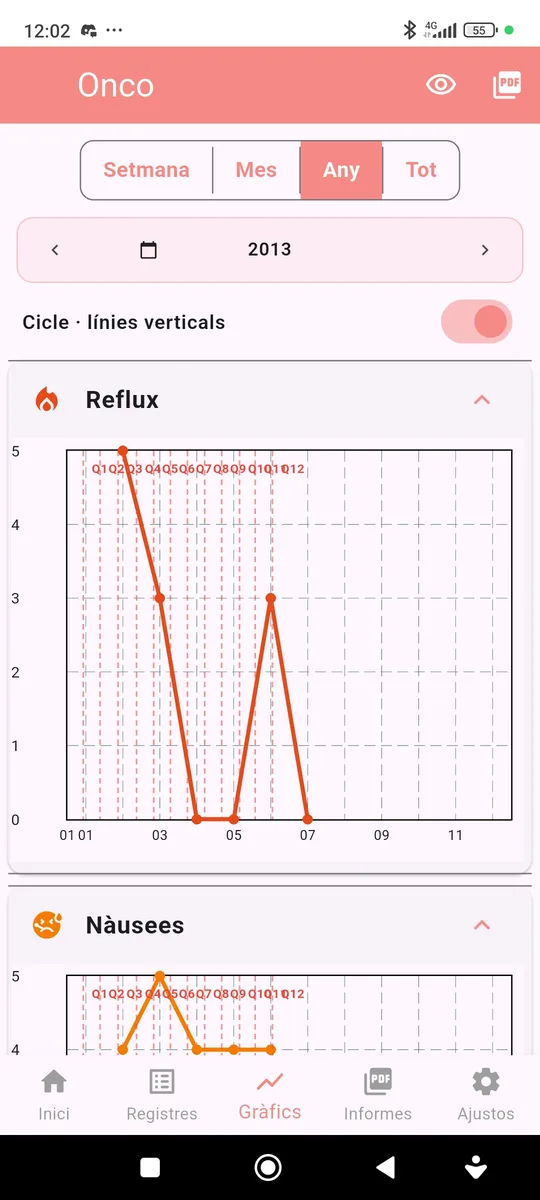
Progress within each cycle. - 3
Share
The report summarises each effect and includes a days-by-effects table that can be exported as a PDF to discuss with the medical team.
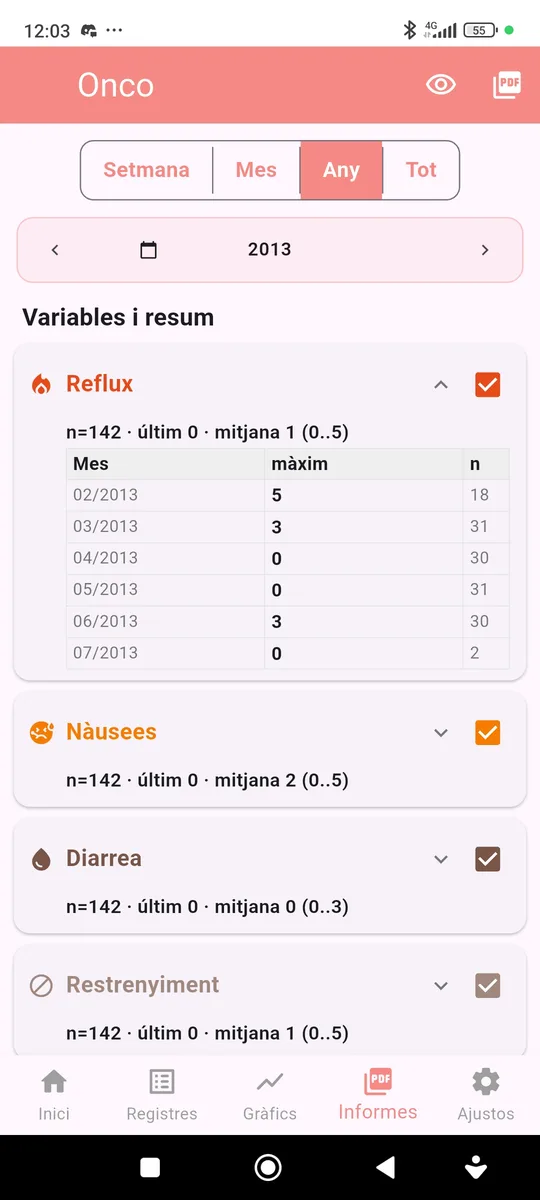
Days-by-effects table.
Sample report
This is what you take to your appointment. Real anonymised data. All reports →
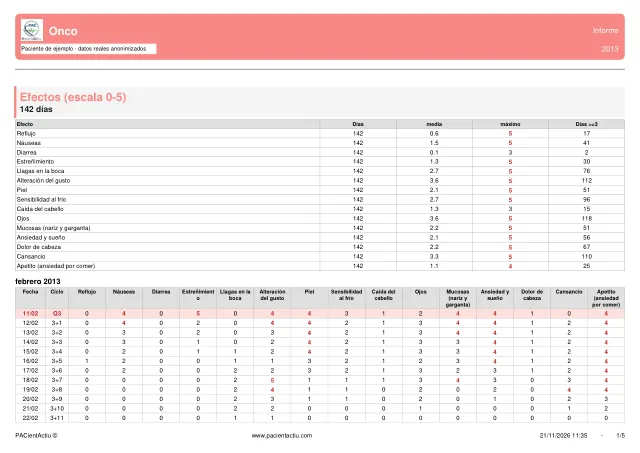 Onco · reportSide effects (0–5 scale) per day and per cycle, highlighting the most intense days.Open PDF ↗
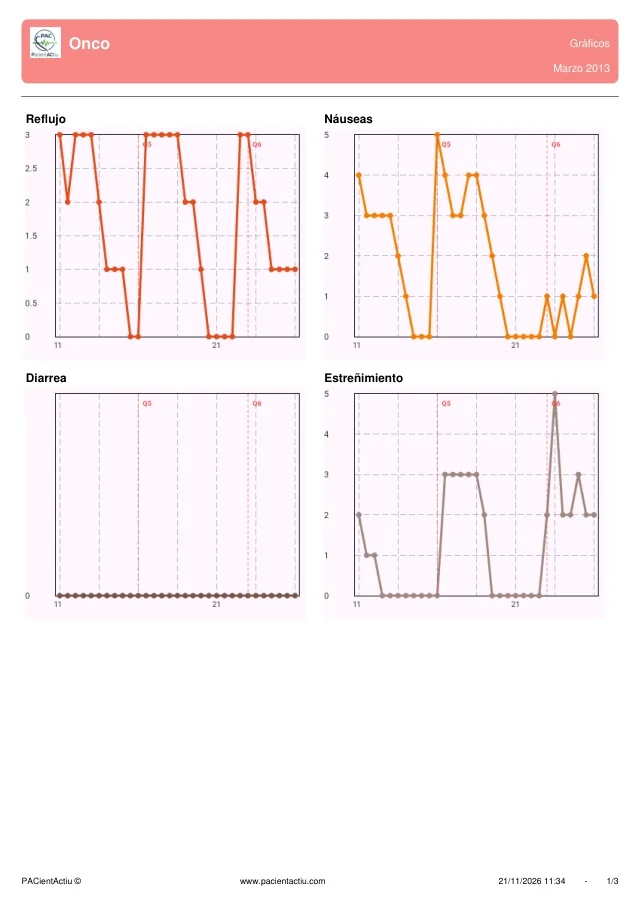 Onco · chartsEach side effect across the cycles.Open PDF ↗
Good to know
- If an effect has not bothered you, mark 0: that records that you have checked it.
- Some effects are turned off by default; turn them on in Settings if you need them.
- If you have any significant symptom, contact your healthcare team.
Frequently asked questions
How do I start cancer treatment follow-up?
In five steps:
- Download PAC-SALUT from Google Play (Android).
- On the home screen, turn on the Oncology module.
- In Settings, turn on only the effects that apply to your treatment.
- On the day each cycle starts (for example, the infusion day), record it under Cycle.
- Every day, open Today’s effects and score each effect from 0 to 5, reading the definition of each level.
Why is it important to record side effects?
Because information about side effects can help the medical team assess how well you tolerate the treatment and, if needed, adjust the dose or the schedule. Recording them every day shows on which days of each cycle they appear and how strongly, with organised data instead of memories.
What if an effect did not bother me?
Score it 0. That way there is a record that you checked it that day.
Does the app replace my medical team?
No. Records and charts help describe how things evolve, but they do not make a diagnosis. If you have any significant symptom, contact your healthcare team.
Where is my data stored?
Only on your device. PACientActiu does not send your records to external servers and you do not need an Internet connection to enter them.