PAC-PELVIC manual
Your pelvic floor, step by step.
From your first entry to the PDF report for your appointment.
Before you start
PAC-PELVIC brings together the four pelvic floor modules of PAC-SALUT: voiding diary, bowel diary, Kegel exercises and sexual health. You install it from the browser (Android, iPhone and computer) and there are no accounts: your data is stored only on your device.
- Voiding diary
- Bowel diary
- Kegel
- Sexual health
- PDF reports
- Backups
Each module has a navigation bar at the bottom: Home, Records, Charts, Reports and Settings (in Kegel, Exercises). The ? icon at the top opens help and this manual.
In this guide
1Getting started
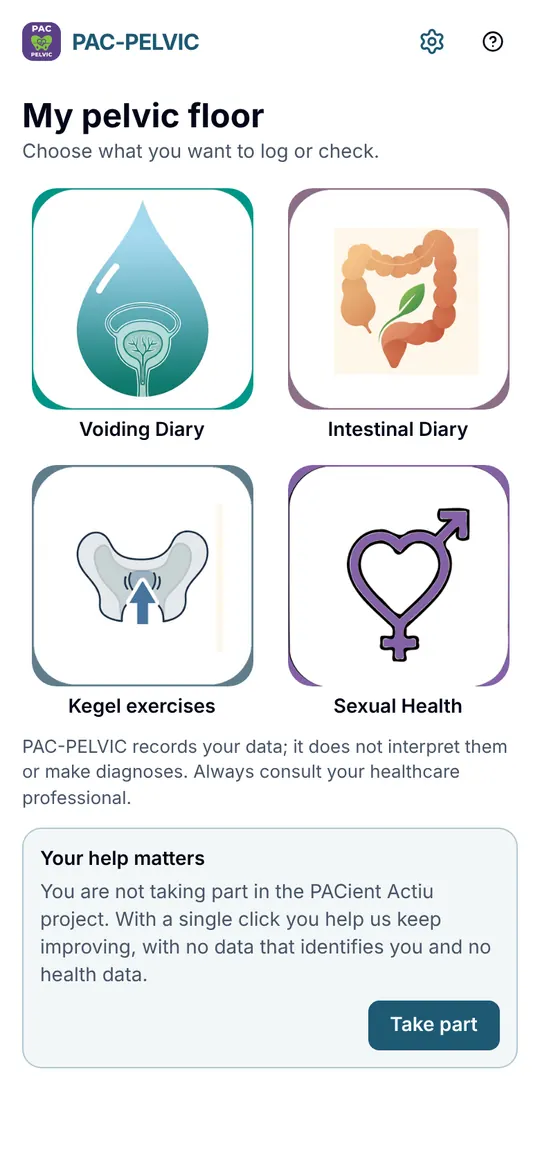
The first time
Choose the language and, if you like, enter your first and last name: they only appear in the report header. Choose your sex: it is used to show the right questionnaire in Sexual Health.
Accept the notice (PAC-PELVIC records; it does not interpret or diagnose) and choose whether to take part in the PACient Actiu project. You can change this in Settings.
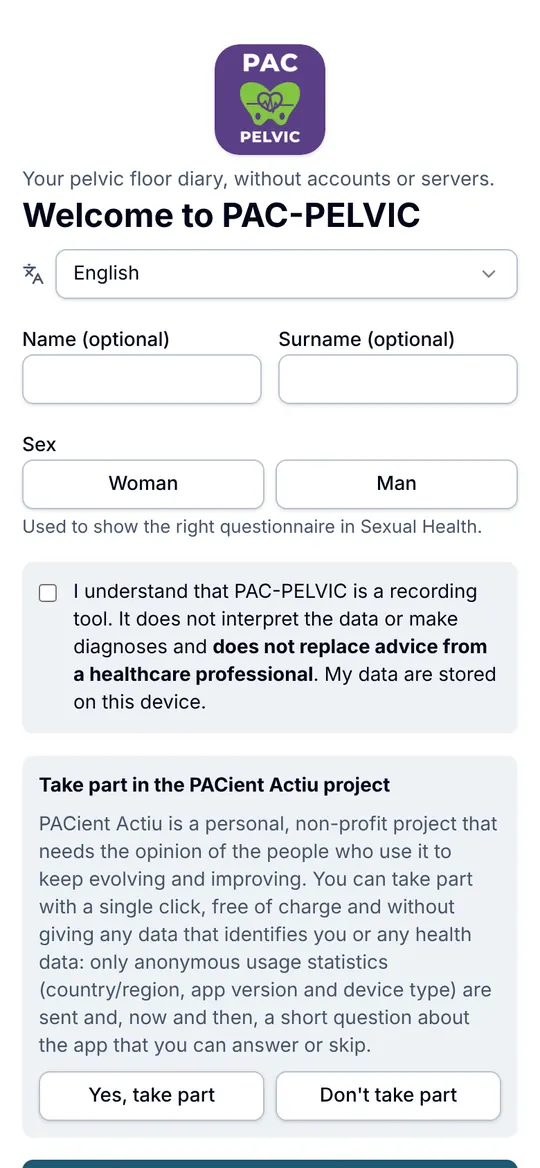
The home screen
Each icon opens a module. The gear icon at the top opens the general Settings (language, profile, backups).
Install and update
Open pelvic.pacientactiu.com. On Android, in Chrome: menu ⋮ → Install app. On iPhone, in Safari: Share → Add to Home Screen. On a computer, in Chrome or Edge: the install icon in the address bar.
When there is a new version, the app tells you: tap Update. What each version brings is in help (? → What’s new).
2Module guides
 Voiding diaryFluid intake, voids, leaks and small leaks, with charts and the weekly or daily report.
 Bowel diaryBowel movements with the Bristol scale, charts and a calendar for your appointment.
 Kegel exercisesGuided exercises with a timer, records and consistency charts.
 Sexual healthRegular questionnaires, incidents, score trends and report.
3Your data
Backups
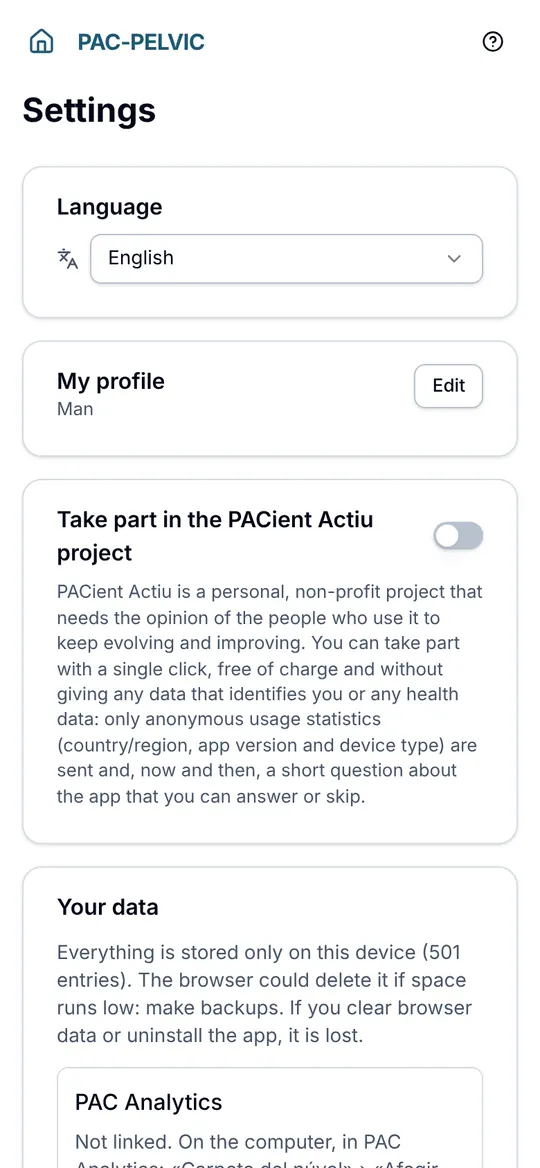
Everything is stored on your device. In Settings → Your data:
- Save backup: choose what goes in and where to save it (Drive, Dropbox, email…).
- Restore: bring a backup back on this or another device.
- Delete data…: delete everything or only the parts you tick.
Back up often and keep copies off your phone. If you clear the browser data or uninstall the app, your data is lost.
Coming from PAC-SALUT
In PAC-SALUT, make a backup (.db file) and save it where your phone can open it. In PAC-PELVIC, Settings → Restore and choose that file: the voiding diary, bowel diary, Kegel and sexual health are imported.
The PAC-SALUT “Send to PAC Analytics” file (.pac.txt) also works: the app will ask for that person’s link code (it starts with PACX1:).
If you restore the same file twice, repeated records are not duplicated.
Send to PAC Analytics
If you use PAC Analytics on your computer, PAC-PELVIC can send it your data.
- Link (once): in PAC Analytics, Carpeta del núvol → Afegir persona shows a QR code. Here, tap Link and scan it with the camera (or paste the code).
- Send: creates an encrypted backup and opens the share menu; save it to your cloud where suggested. PAC Analytics finds it and imports it.
- Unlink: the phone forgets the key; your data is not deleted.
The QR code and the link code are a password: do not share them.
Group code
If you were given a code (a workshop, an organisation or testing), enter it in Settings → Take part in the PACient Actiu project to receive its surveys. It is optional.
Help
The ? icon opens this manual (inside a module, straight to its part), What’s new, the PACient Actiu website and the email for suggestions and bugs.