PAC-PELVIC manual
Voiding diary
Fluid intake, voids, leaks and small leaks, with charts and the weekly or daily report.
Before you start
Each module has a navigation bar at the bottom: Home, Records, Charts, Reports and Settings (in Kegel, Exercises). The ? icon at the top opens help and this manual.
In this guide
1Recording
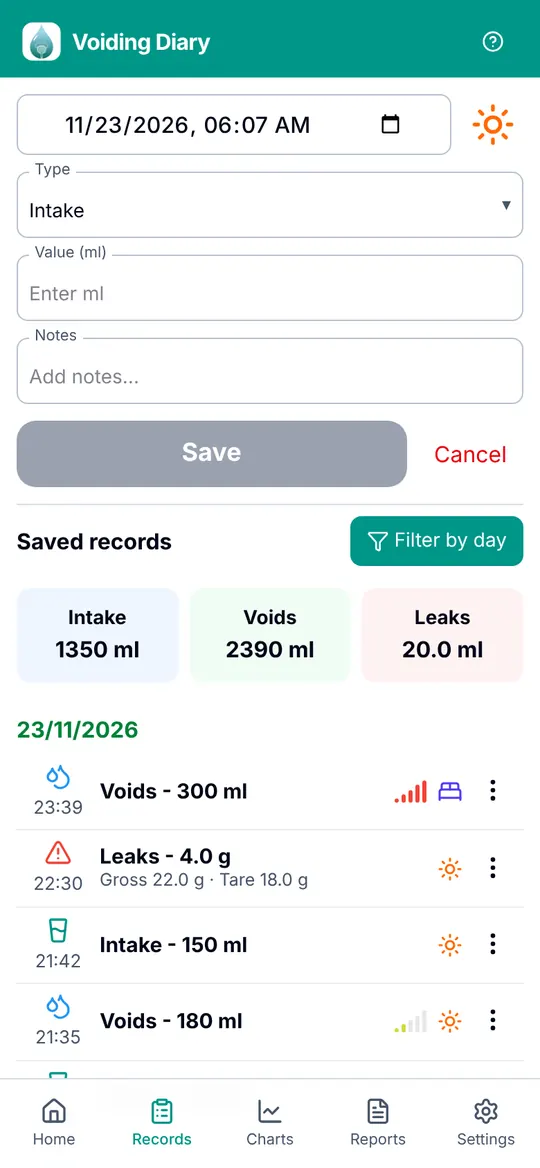
Date and time are set to now; tap them to record a past moment. Choose the type:
- Intake: what you drink, in ml.
- Voids: the volume in ml and the urgency from 0 to 5.
- Leaks: choose the pad (C-1 to C-4) and enter the gross weight in grams; the app subtracts the dry pad weight and stores the net weight.
- Leak (episode): a small leak you do not weigh, with the situation (rest, walking, cough, urgency, effort…).
Tap Save. Each record can be edited or deleted from the ⋮ menu.
2Awake or asleep
The sun (awake) or bed (asleep) icon next to the time says whether you were awake or asleep, not whether it was day or night. Voiding at 4 a.m. when you get up from sleep is “asleep”; so is a nap.
This flag decides what counts as night-time in the report (nocturnal frequency, nocturnal diuresis, night-time leakage).
3Saved records
Below the form you see the totals for intake, voiding and leakage and the list of records. Filter by day shows a single day.
4Charts
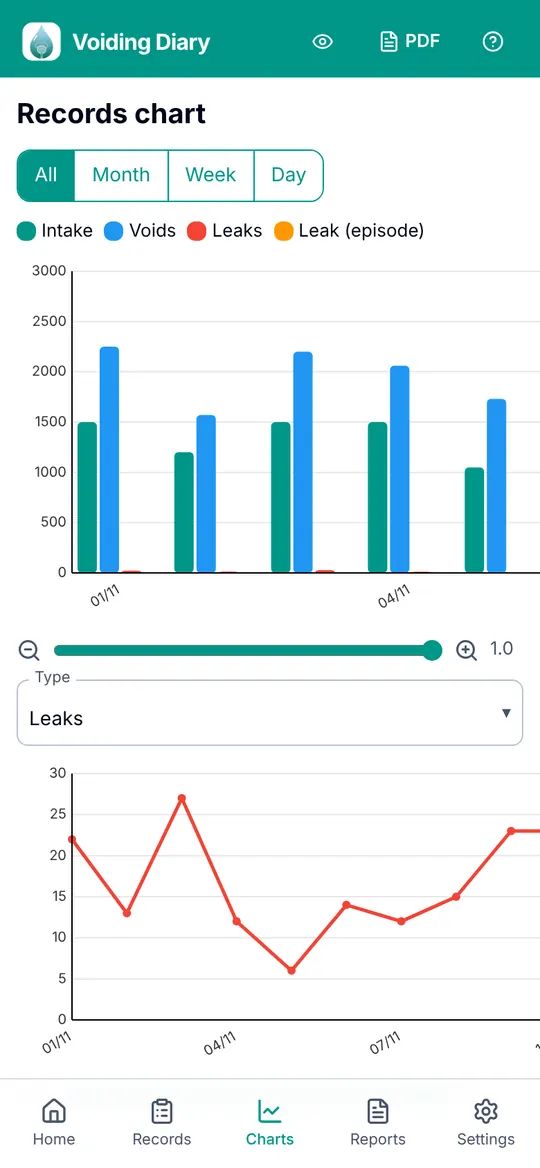
Choose All, Month, Week or Day (the day, by hour). The bars show intake, voiding, leakage and escapes; below, the trend of one type. The magnifier widens or narrows the bars.
5Reports
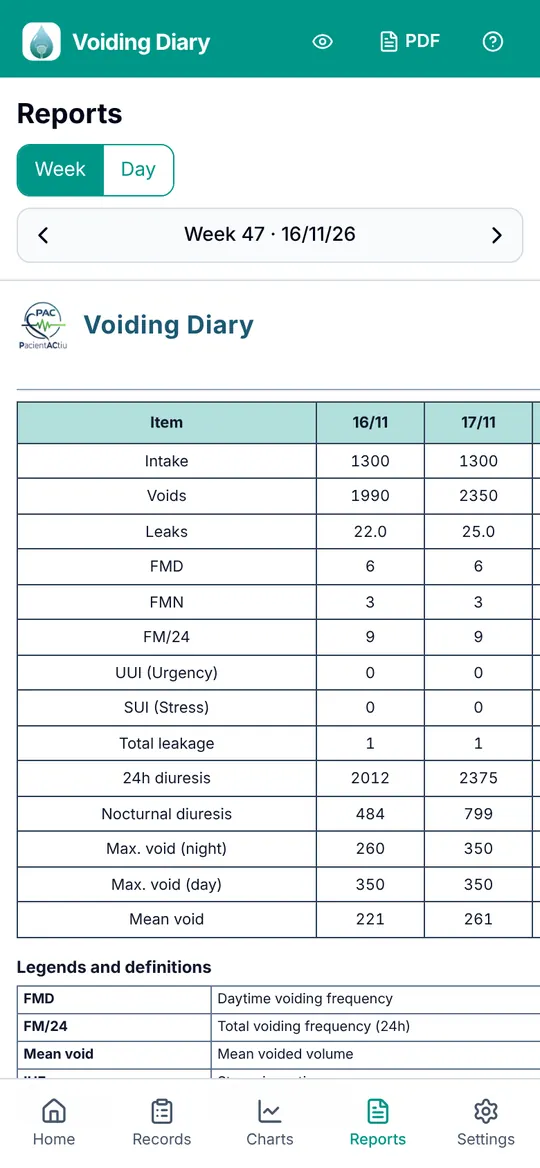
Week: the PAC-SALUT table by day (intake, voiding, leakage, daytime and night-time frequency, 24 h frequency, urge and stress incontinence, escapes, diuresis, voided volumes) with the legend. Day: one day in detail and the daytime and night-time leakage cards.
The eye icon shows the PDF on screen and the PDF icon creates it for sharing.
6Settings
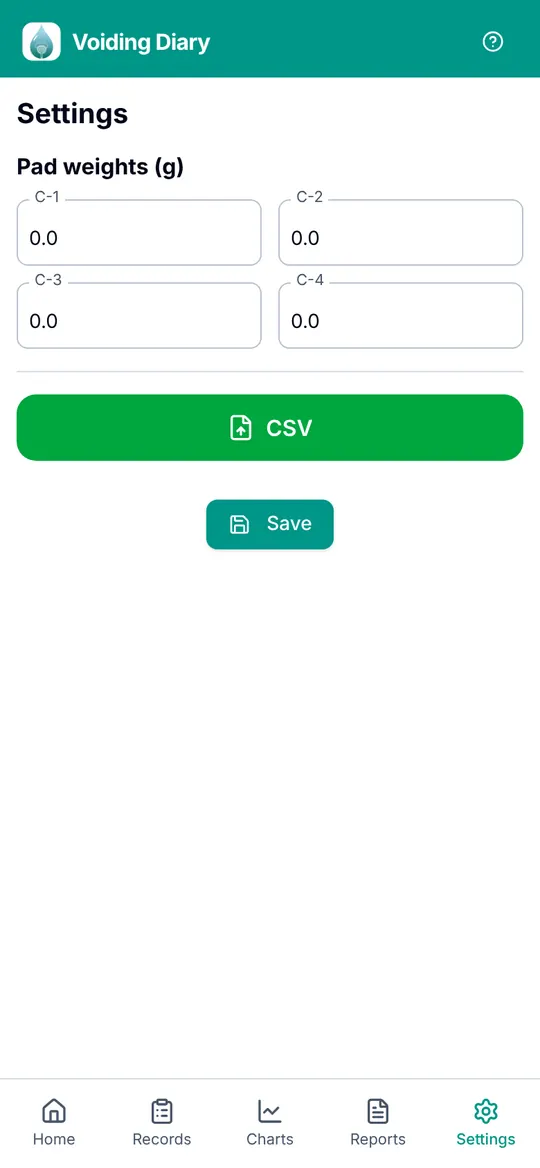
Enter the dry weight of each pad (C-1 to C-4) and tap Save. The CSV button exports all records.