
PAC-PELVIC manual
Sexual health
Regular questionnaires, incidents, score trends and report.
Before you start
Each module has a navigation bar at the bottom: Home, Records, Charts, Reports and Settings (in Kegel, Exercises). The ? icon at the top opens help and this manual.
In this guide
1Setting up follow-up
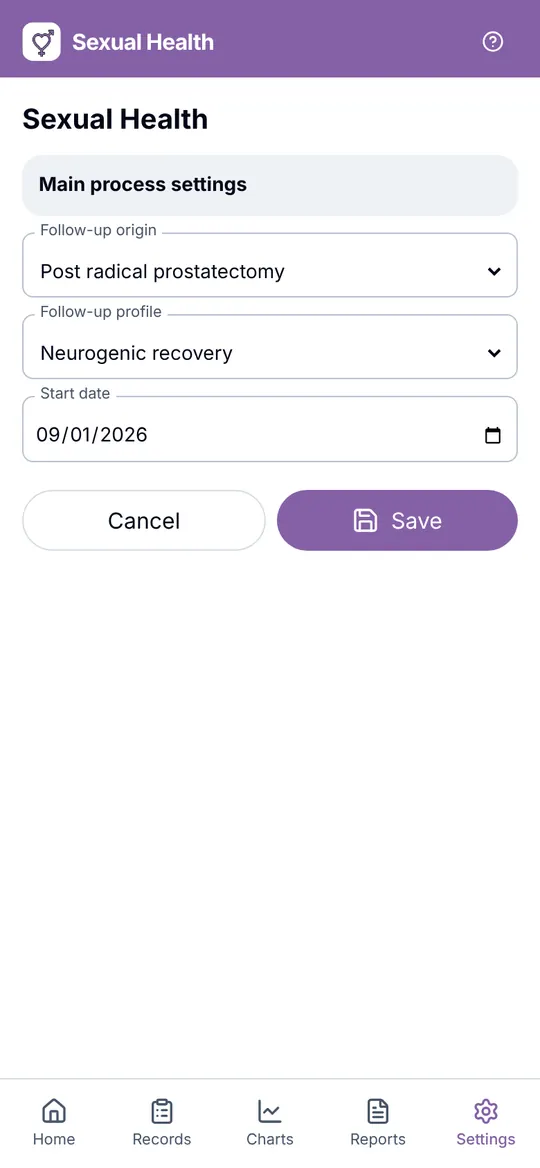
In Settings enter the reason for follow-up (for example, after radical prostatectomy or radiotherapy/hormone therapy), the follow-up profile and the start date. They appear at the top of the screens and reports.
2Answering a questionnaire
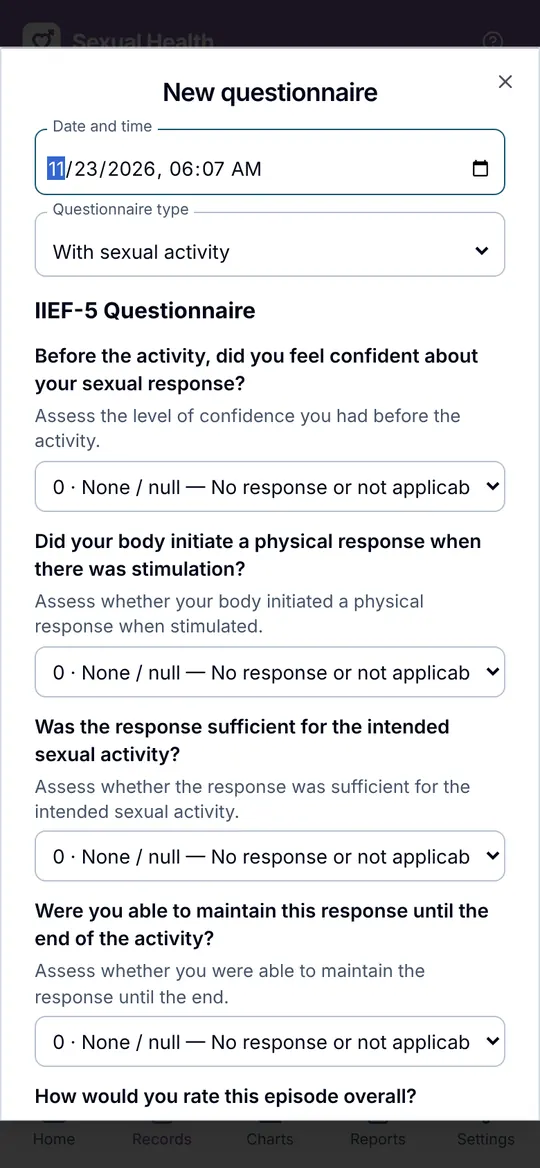
In Records, choose the Questionnaire entry and the type: with sexual activity or without sexual activity. Tap Answer questionnaire.
There are five questions with answers from 0 to 5; the total score is out of 25. The questions depend on the sex set in your profile.
3Incidents
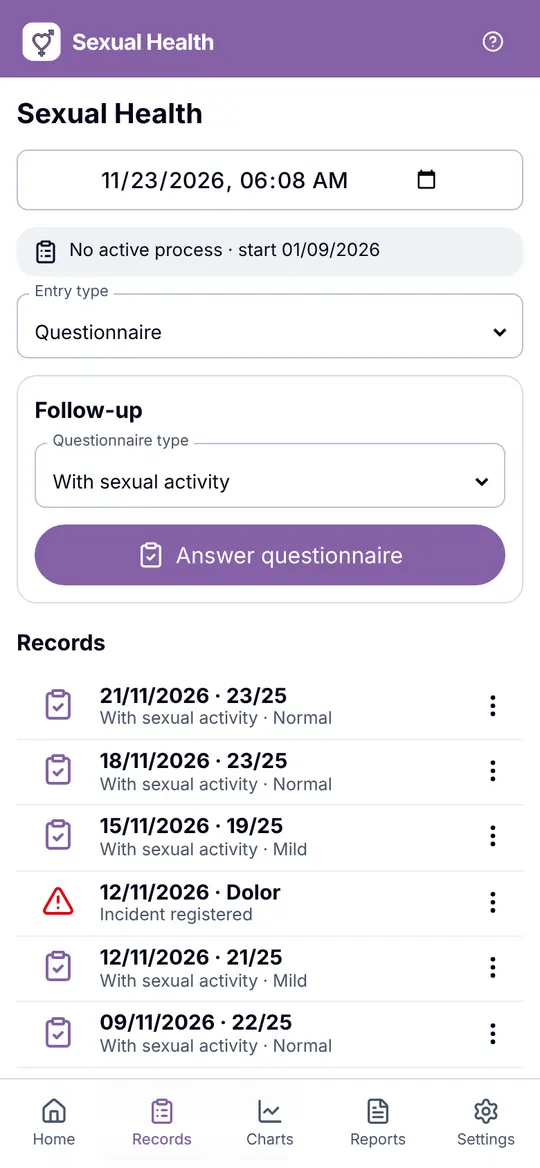
Choose the Incident entry to note a one-off event (for example, pain). In the list of records, each questionnaire shows its score and level.
4Charts
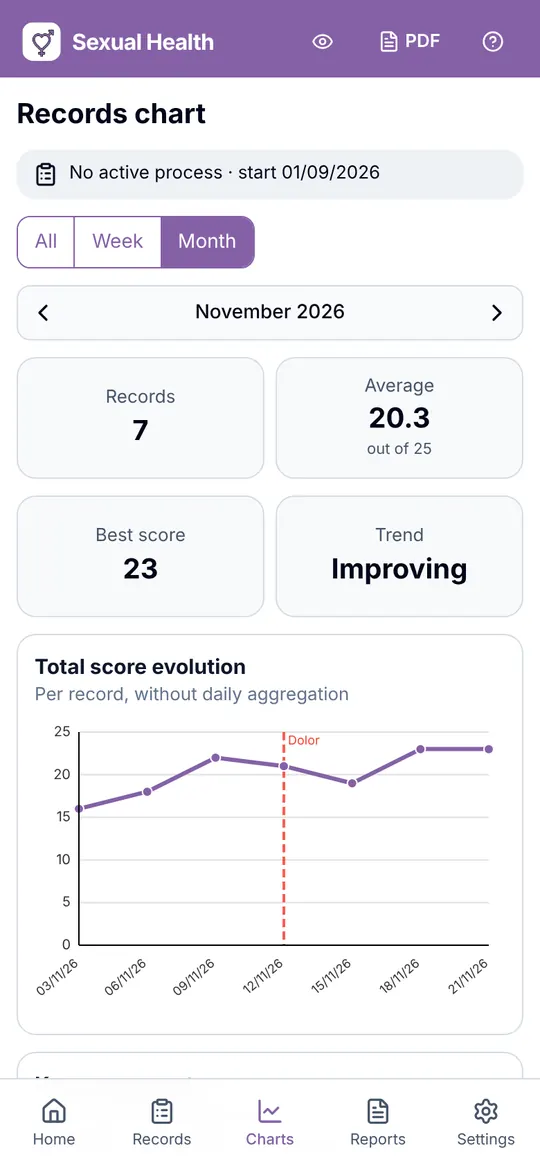
Choose All, Week or Month: number of records, average, best score and trend; the total score over time, with incidents as a red line, and questions 1 to 3 over time.
5Reports
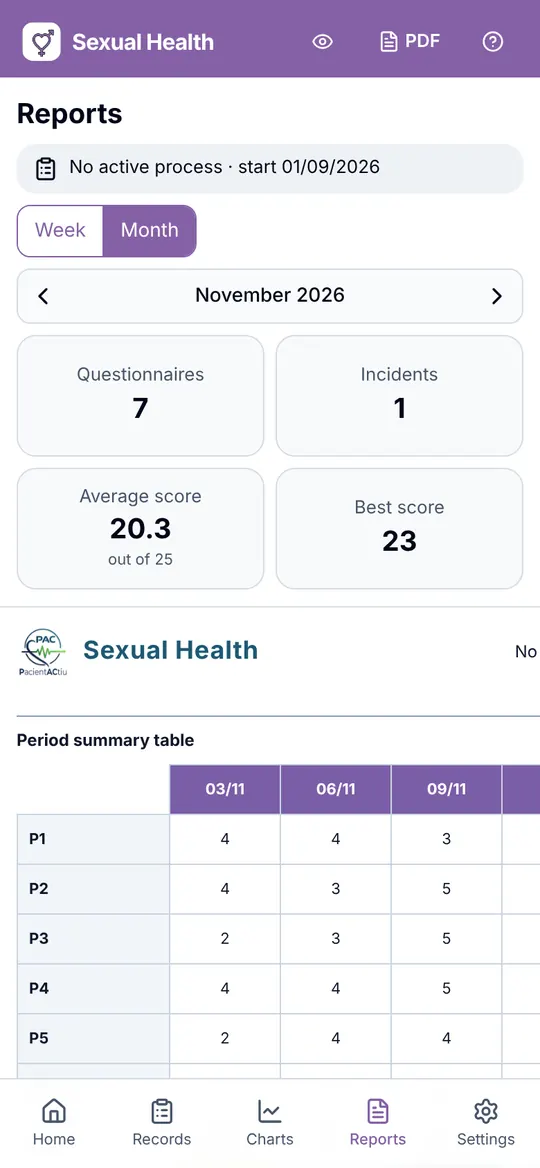
By Week or Month: questionnaires, incidents, average and best score, and a table with every answer (Q1 to Q5) of each questionnaire. Eye and PDF as in the other modules.