
An app from the PACientActiu ecosystem
Install PAC-DIARI
No app store needed: it installs from the browser and updates itself.
PAC-DIARIAndroid · iPhone · computer · from the browserApp address: diari.pacientactiu.comOpen PAC-DIARI

How to install
Android
- Open the address in Chrome.
- Tap the ⋮ menu and choose Install app (or Add to home screen).
- The PAC-DIARI icon will appear with your other apps.
iPhone and iPad
- Open the address in Safari.
- Tap the Share button (the square with the arrow).
- Choose Add to Home Screen and always open the app from that icon.
Computer
- Open the address in Chrome or Edge.
- Click the install icon in the address bar.
- It opens in its own window, like a program.
When a new version is available, the app shows A new version of PAC-DIARI is available: tap Update.
User manual
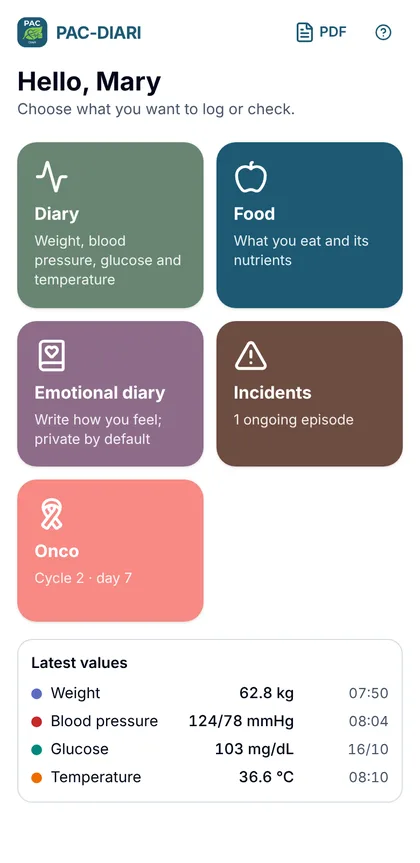
Step-by-step guide with screenshots of every feature. It also opens from the help icon in the app.
Your data
- No accounts or sign-up: data is stored only on your device and is not sent to any server.
- If you clear the browser data or uninstall the app, it is lost. Make backups in Settings → Your data → Save backup and keep them wherever you like (Drive, Dropbox, email…).
- If you already used PAC-NUTRI, you can restore its backup in PAC-DIARI.
- Barcode lookups in Open Food Facts send only the code number.
A tool to stay informed, not a treatment
PAC-DIARI collects what you log and helps you explain it at your appointment. It does not diagnose, does not calculate or assess medication doses, and does not replace your healthcare team’s instructions.
Sources: PAC-SALUT ranges and protocols · Anses-Ciqual 2025 (Licence Ouverte/Etalab) · Open Food Facts (ODbL).