
Module user guide
Respiratory health
Practical guide to recording oxygen saturation, spirometry and peak flow, whatever device you use.
What can you record?
- O2 saturation & pulse
- Spiro FEV1/FEV6
- Spiro FEV1/FVC
- Peak flow (PEF)
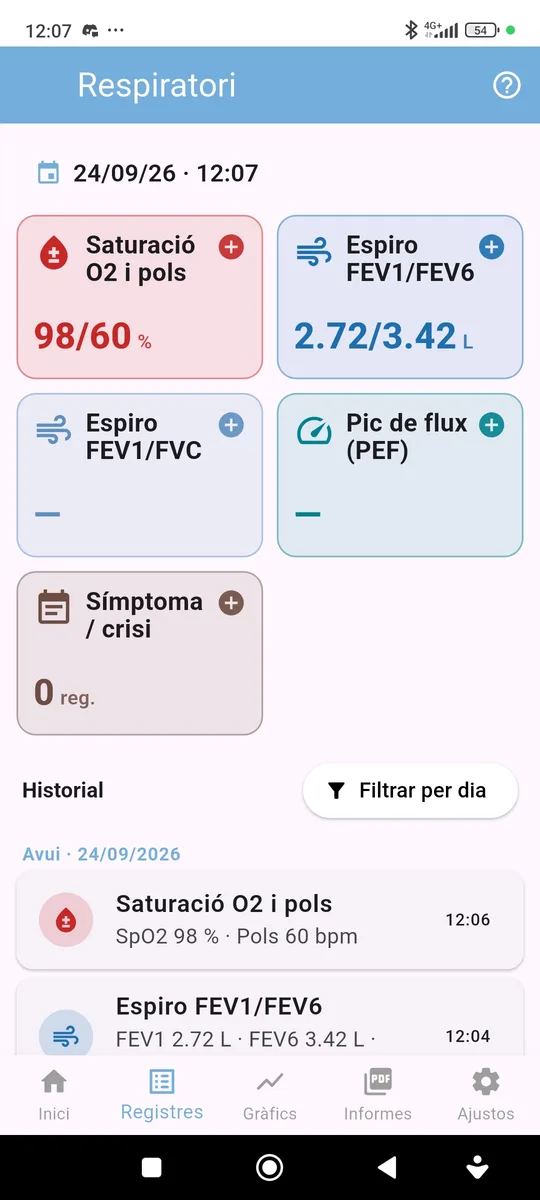
You can also log symptoms or flare-ups (cough, breathlessness, an infection…). If you do not use a measurement, you can hide it in Settings.
In this guide
1How to make a record
One form per reading
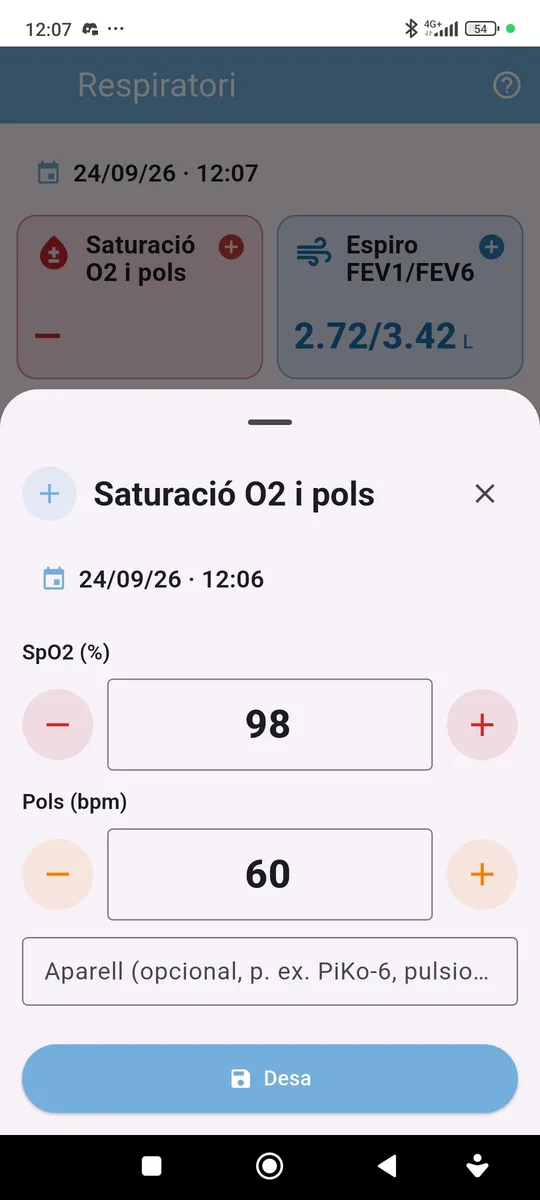
Tap the measurement card. The values a device gives in one reading are entered together: for example, SpO2 and pulse from the pulse oximeter, or FEV1 and FEV6 from the spirometer. The ratio (FEV1/FEV6 or FEV1/FVC) is calculated automatically.
In the Device field you can note which device you used (for example, PiKo-6 or the pulse oximeter). The app remembers the last one you used.
Colour zone (optional)
If your spirometer shows a colour zone (green, yellow or red), you can note it in the same form.
History
The cards show the latest reading and the history groups readings by day. Tap a record to edit or delete it.
2Charts and reports
Trends
In the charts each value has its own line. Spirometry shows the best reading of each period; saturation and pulse show the average.
The report shows a summary (best reading for spirometry, average for saturation and pulse), the latest reading and the list of readings with date, time, values, zone and device. You can export it as PDF or CSV.