
Module user guide
Bowel health
Practical guide to record bowel function and review its evolution.
Goal
The bowel diary helps record patterns and symptoms related to digestive health. This information may help healthcare professionals assess frequency, consistency, urgency, discomfort, and possible effects of medication, stress, or diet.
The key is to record consistently and simply, without adding unnecessary detail when there are no incidents.
In this guide
1How to add a record
Select stool type
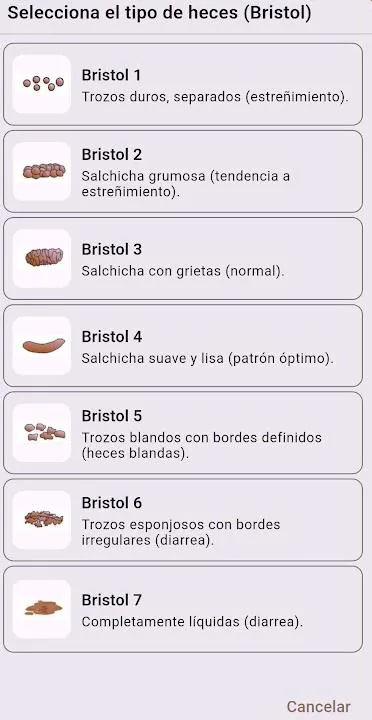
Tap the stool type selector. The Bristol classification will open so you can choose the closest type.
Bristol scale
The Bristol scale classifies stool from type 1 to 7. Types 3 and 4 are usually considered normal; type 1 suggests constipation and type 7 diarrhea.
In normal conditions, selecting the Bristol type and saving the record is often enough.
Add details only when needed
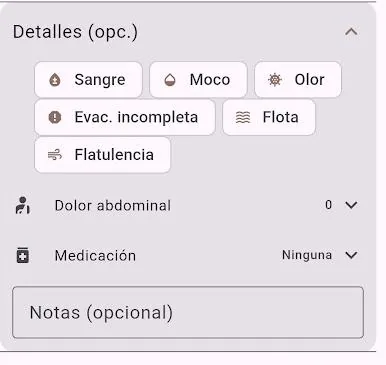
If something seems irregular, open the details section. You can record blood, mucus, odor, incomplete evacuation, floating, gas, abdominal pain, medication, or notes.
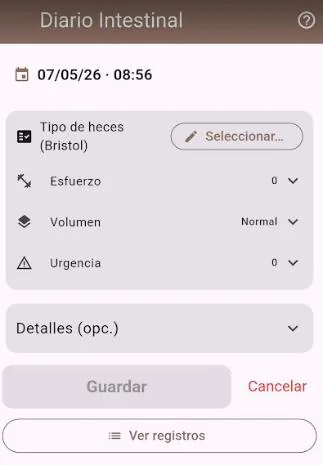
Effort, volume and urgency
You can also record effort, volume and urgency. These data help detect patterns, but they do not need to be filled in every time if the record is normal.
2Charts
View evolution
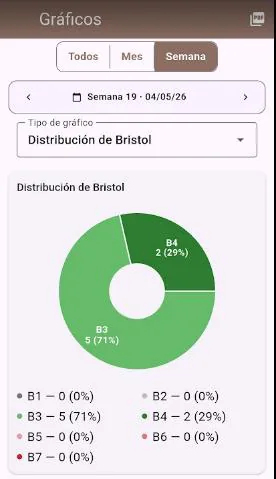
On the charts screen you can view totals, months or weeks and choose the chart type you want to see.
Export charts
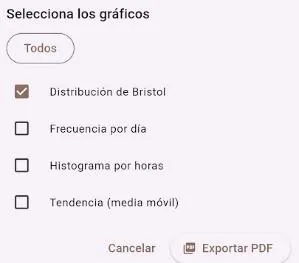
When you press the PDF icon, you can choose which charts to include before exporting the report.
3Reports
Summary at a glance
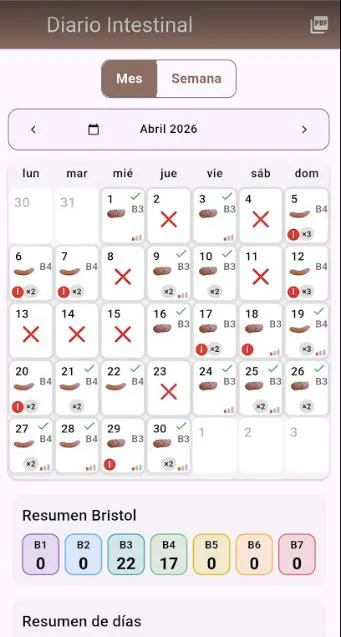
The reports screen lets you view weekly or monthly evolution quickly and visually.
At the end of the page, the number of incidents or details recorded is shown.